
Installation, configuration, use and support
Manuals and guides
Please refer to the documents available to install, configure and use your product.
Practical installation and configuration cases
Practical guidance with examples to prepare, install and configure the equipment.
Open documentInstallation and Setup Manual
Instructions for preparing, installing and configuring the equipment.
Open documentInstruction manual
Complete information for installing, configuring and using W4A MProtect.
Open documentUser guide (Electrical panel)
Guide to getting to know W4A MProtect and using the application.
Open documentFrequently asked questions
Quick answers to the most common questions about installation, configuration and use.
Protection and automation
W4A MProtect monitors the electrical current drawn by the motor and detects abnormal operating conditions, such as overloads or currents below the configured limits. It can stop operation to reduce the risk of damage to the motor and the installation.
Yes. W4A MProtect can detect dry running by monitoring the motor's electrical current. When the current falls below the configured limit, the device can automatically stop operation, helping to protect the pump from potential damage. The effectiveness of this protection depends on the pump's characteristics and the settings used.
When the current exceeds the configured maximum limit for the defined period, W4A MProtect can automatically stop the motor, protecting it from potential damage. The event is recorded in the history and can be viewed in the app.
Yes. W4A MProtect allows automatic reset attempts to be configured after certain faults. Once the defined waiting period has elapsed, the device can restart the motor, provided the operating conditions are met. The number of attempts can also be limited to avoid repeated starts when a fault persists.
Yes. The equipment supports level sensors and dry-contact sensors to control pump operation automatically according to water levels and the conditions defined for the installation. Compatibility depends on the selected model.
Yes. W4A MProtect provides timers for scheduling weekly or cyclic operating periods, automating operation according to the installation's needs.
Configuration
Yes. Configuration is carried out in the W4A MProtect app, which provides an intuitive interface for setting sensors, current limits and timers. Electrical installation and initial protection settings must be carried out by qualified personnel.
The W4A MProtect app lets you set the current limits that define the motor's normal operating range. To help with this process, the app provides a current test to analyse the motor's actual consumption. These limits must be set by qualified personnel according to the installation's characteristics.
In the W4A MProtect app, go to the current settings area and select the test option. During the test, the motor runs while the test button is held down, allowing current values to be viewed in real time. The results help the installer set appropriate motor protection limits. The test must be carried out by qualified personnel and only under safe conditions.
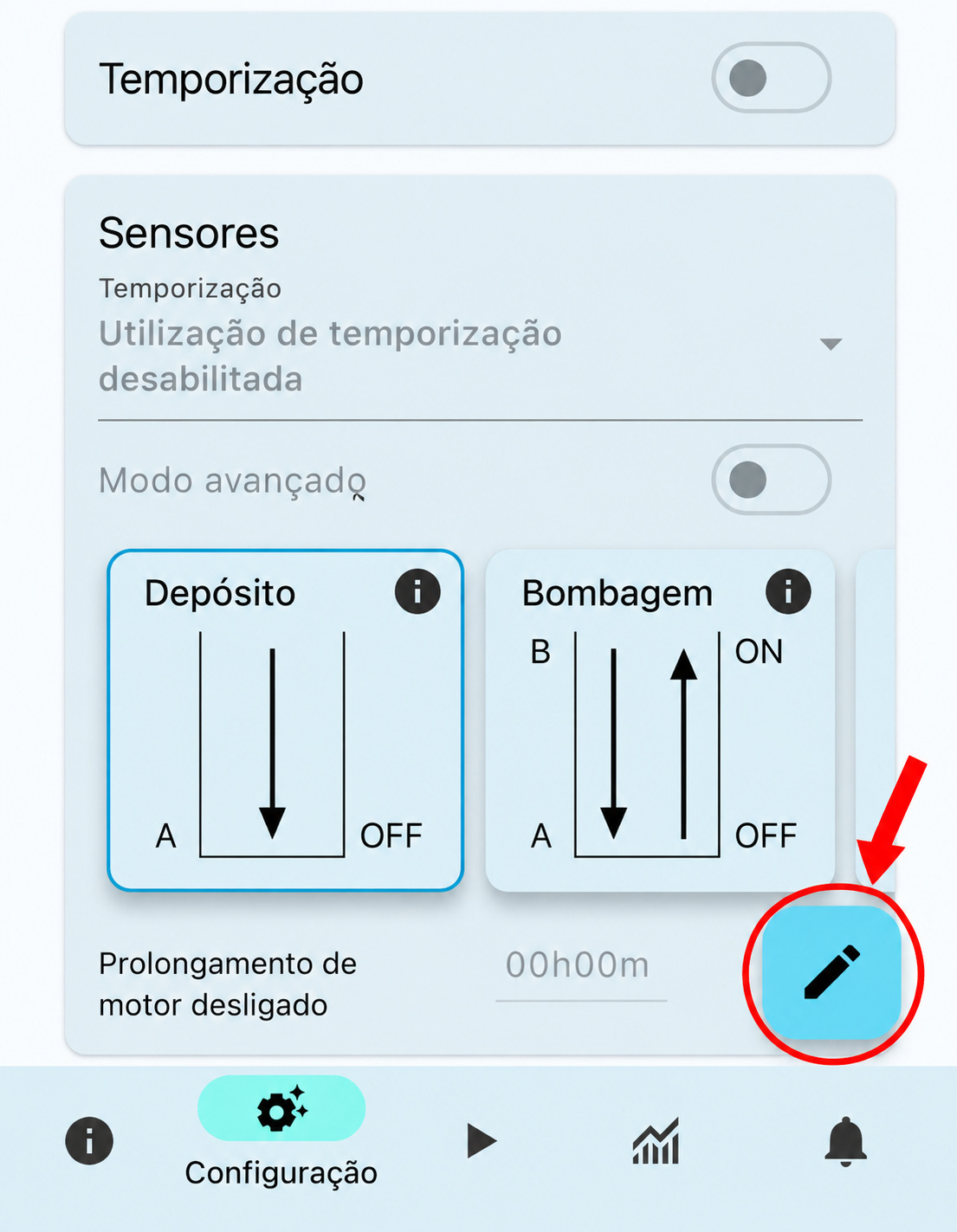
Before changing parameters in the app, you must press the configuration edit button. This prevents unintended changes by keeping the settings read-only until edit mode is enabled. After making the required changes, press the Submit button to save the new configuration.
App and connectivity
No. The device supports local communication via Bluetooth or Wi-Fi without an Internet connection.
Enable Bluetooth on your phone, open the app and select the option to add a device. During the search, press the Connection button on the equipment and follow the instructions in the app to complete pairing.
Yes. W4A MProtect lets you share access to the device with other users through the app. Access can be shared using a QR code or an access file, allowing several authorised phones to use the same equipment without repeating the physical pairing process.
Yes. W4A MProtect records information about motor operation, including activations, electrical current, sensor states and events. This data can be viewed in the app through charts and detailed information.
Security and data
Yes. W4A MProtect uses communications protected by strong AES-256 encryption and access control mechanisms, helping to protect data and prevent unauthorised access.
W4A MProtect keeps settings and records stored on the device itself, regardless of the phone used. When replacing your phone, you can pair the equipment with the app again or use the access sharing feature. In case of loss or theft, we recommend revoking compromised access to prevent unauthorised use of the device.
Troubleshooting
Check that Bluetooth is enabled, that you have granted the app the necessary permissions and that W4A MProtect is powered on. Also make sure you pressed the Connection button during the search and that you are close to the equipment.
Starting may be prevented by a protection condition, the sensor states, a timer, an active pause or an output lock. Check the Control tab in the app to identify errors, warnings and conditions preventing operation. Do not force a start without identifying the cause.
A flashing Error LED during initial setup may be related to a locked output, the maximum current not yet being configured, or an active pause on the device. Check that the OUT-OFF switch is in the unlocked/on position, set the appropriate maximum current for the motor, and remove any active pause from the device.
Still need help?
If you didn't find the answer you were looking for, please contact our support team.